

30 Oct, 2026
Mobile App Development Agency: How to Choose the Right Partner
HRMS Software
Employee Lifecycle Management
Attendance Tracking
HR Analytics
Post By : Ocean Infotech
Published : 29-10-2026
HRMS vs Payroll Software: Key Differences and Benefits
Many business owners use the terms HRMS and payroll software as if they mean the same thing. They do not. Both tools support HR, but they solve different problems, and buying the wrong one can leave you with gaps in your process. Understanding HRMS vs payroll software helps you invest in the right system, avoid duplicate costs and build a smoother workflow for your team. If you are already exploring a complete platform, you can review our integrated HRMS and payroll solution as a reference while reading.
What Is Payroll Software?
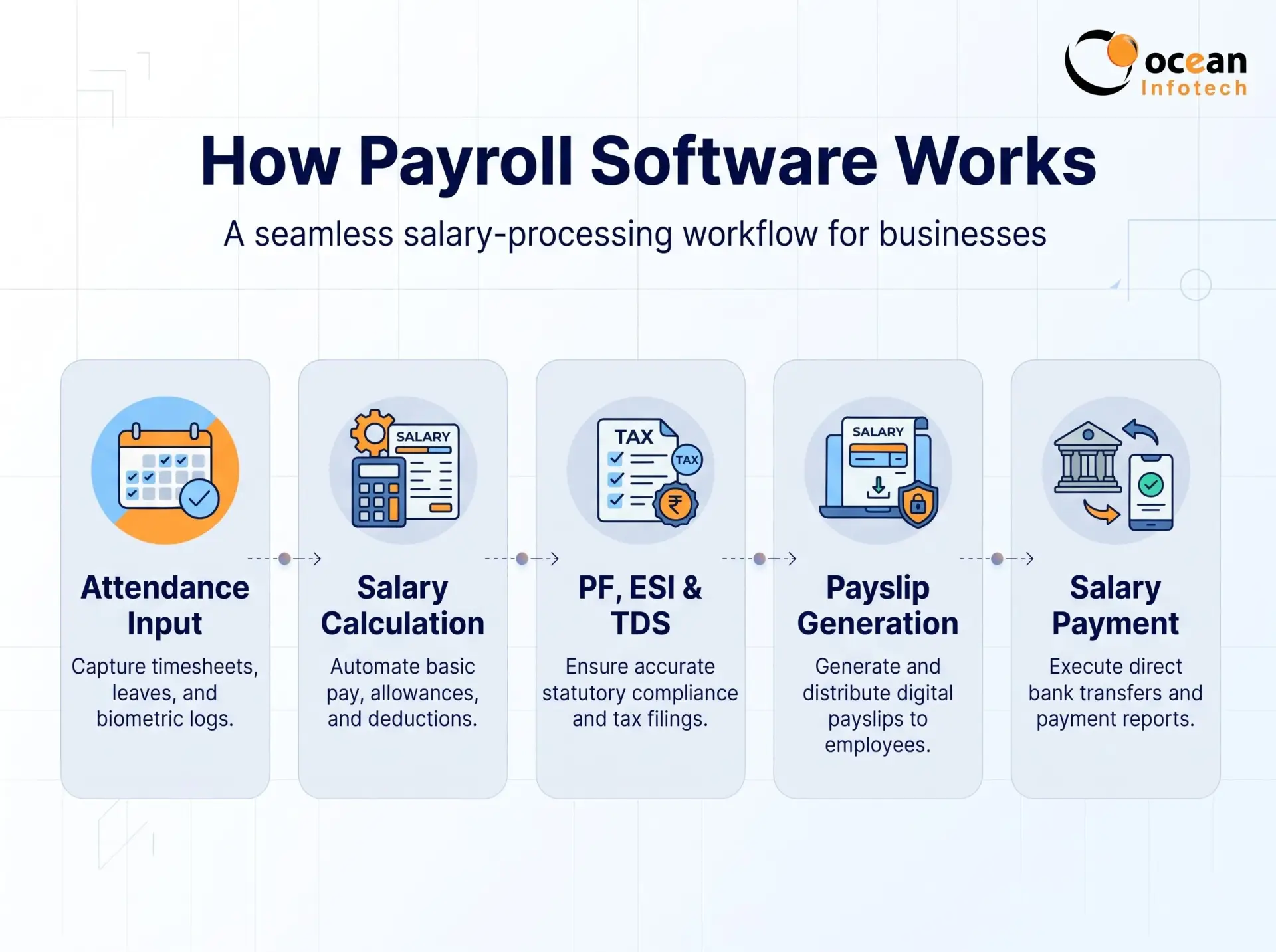
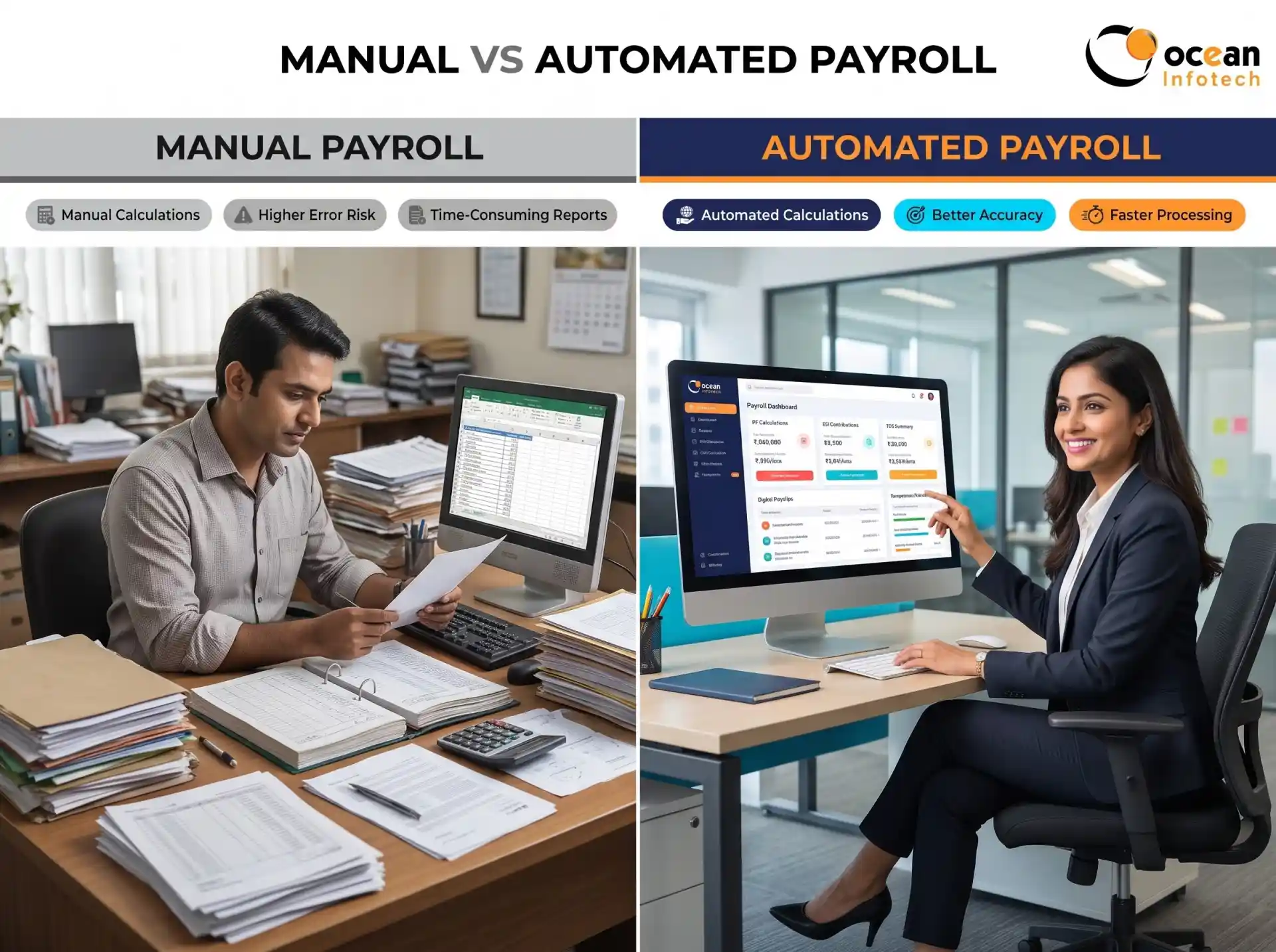
Payroll software has one clear job: calculate and pay employee salaries correctly and on time. It takes inputs such as working days, overtime, allowances and deductions, then produces salary slips, bank transfer files and statutory reports.
Core payroll functions
- Salary structure and component setup
- Gross-to-net salary calculation
- Deductions such as PF, ESI, Professional Tax and TDS
- Bonus, incentives, arrears and reimbursements
- Payslip generation and bank advice files
- Payroll registers and compliance reports
Payroll software is ideal when your main pain is calculation accuracy and compliance. However, it usually depends on attendance data being prepared elsewhere.
What Is HRMS?
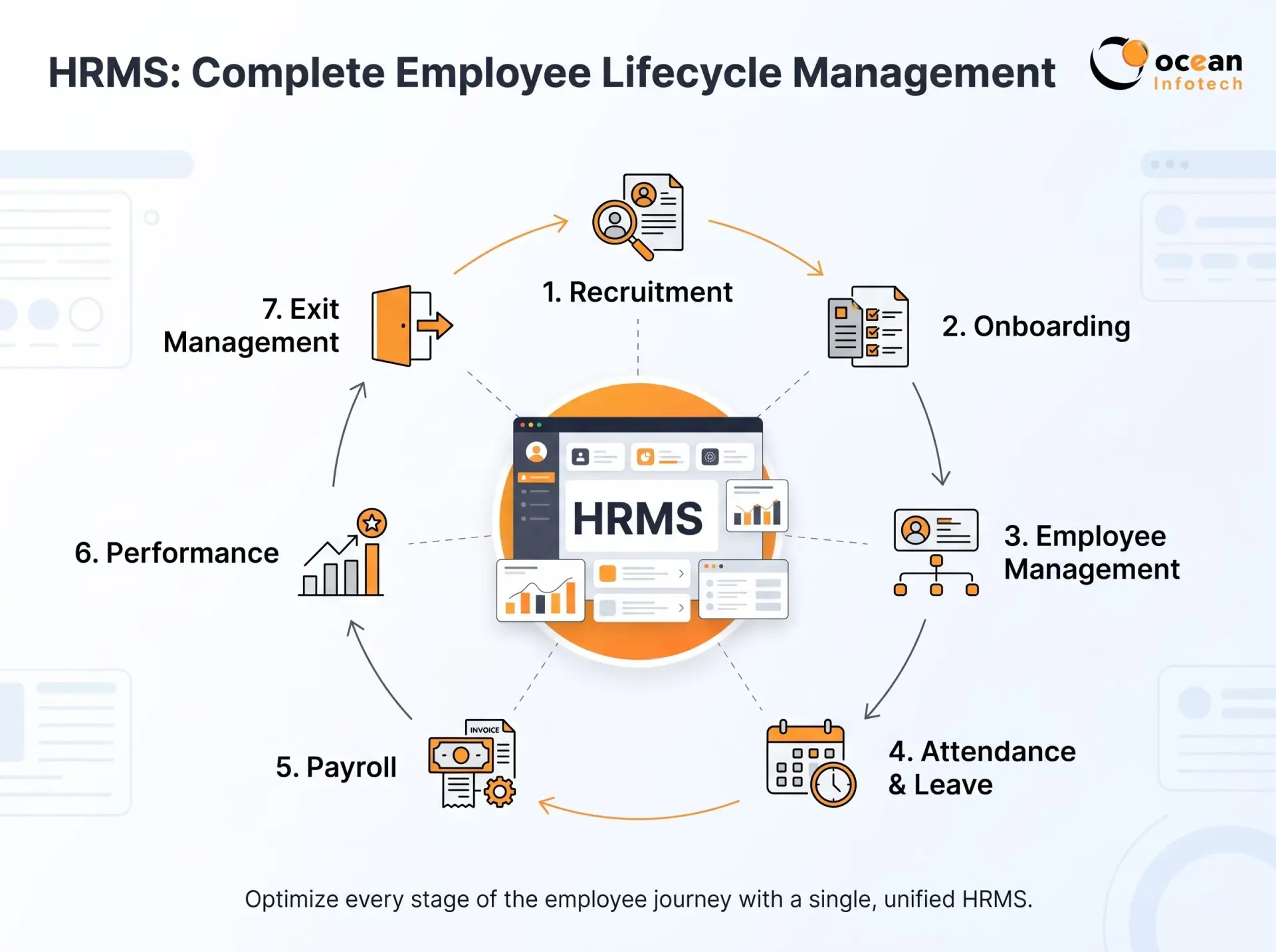
An HRMS (Human Resource Management System) covers the entire employee lifecycle. Payroll is one module inside it, along with many other functions.
Core HRMS functions
- Employee database and document management
- Recruitment and onboarding
- Attendance and shift management
- Leave and holiday management
- Payroll and compliance
- Performance reviews and goal tracking
- Training, asset tracking and exit management
- Employee self-service portal and analytics
In simple terms, payroll software answers the question “How much should we pay?” while an HRMS answers “How do we manage our people from hiring to exit?”
HRMS vs Payroll Software: Key Differences
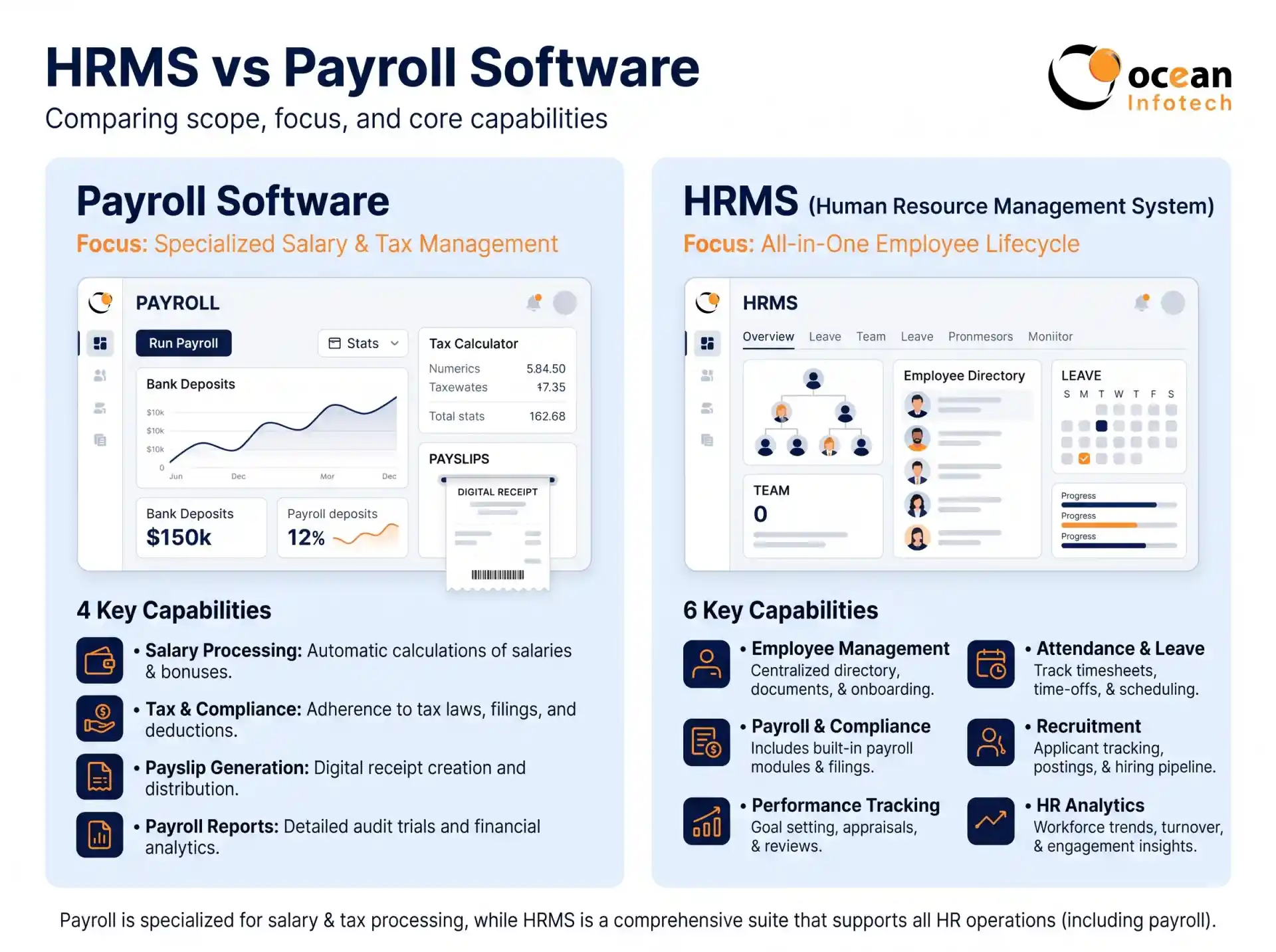
Scope of work
Payroll tools focus on salary processing. HRMS platforms manage all HR activities, including payroll.
Data flow
In a payroll-only tool, attendance and leave data often arrive through manual files. In an HRMS, attendance, leave and payroll are connected, so the salary updates automatically when an employee takes leave or works overtime.
Employee experience
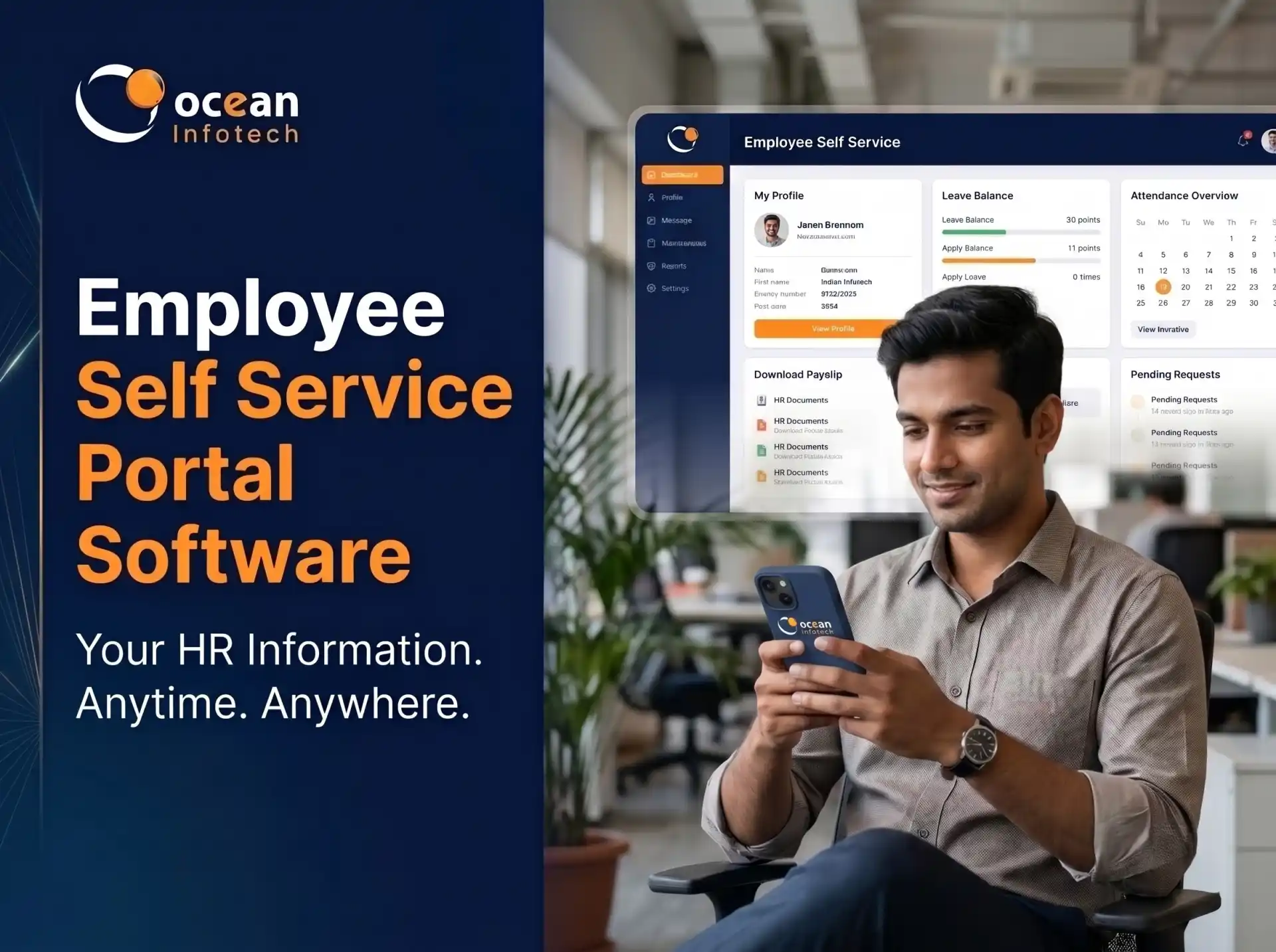
Payroll software mainly serves the finance or HR team. HRMS gives employees a portal to manage their own requests, view documents and track performance.
Reporting depth
Payroll reports show salary costs and statutory data. HRMS reports also include attrition, absenteeism, hiring status and productivity, which help leadership plan better.
| Feature | Payroll Software | HRMS |
|---|---|---|
| Main Purpose | Salary calculation and payment | Complete employee lifecycle management |
| Attendance and Leave | Limited or imported | Built-in and integrated |
| Recruitment and Onboarding | Generally not available | Available in many HRMS platforms |
| Performance Management | Generally not available | Available in many HRMS platforms |
| Employee Self-Service | Basic payslip access | Broader employee self-service portal |
| Compliance Support | Focused on payroll compliance | Payroll compliance within the payroll module |
| Reporting | Payroll-focused reports | HR reports and business analytics |
| Best For | Small teams with simple HR requirements | Growing and multi-department companies |
Benefits of Payroll Software
Payroll tools deliver quick improvements for specific problems.
Accurate salary calculation. Automated formulas remove manual mistakes.
Faster processing. Month-end closing becomes simpler.
- Statutory compliance. Rates and slabs are applied correctly.
- Lower cost. Pricing is usually lower than a full HR platform.
Benefits of an HRMS
An HRMS offers wider value because it connects every HR process.
One source of truth. All employee data is in a single system.
Automatic payroll inputs. Attendance and leave feed directly into salary.
Less manual follow-up. Approvals, reminders and notifications are automated.
Stronger employee engagement. Self-service, feedback and transparent records improve trust.
Better decisions. Dashboards reveal trends in cost, absenteeism and turnover.
Scalability. New modules can be added as the company grows.
When your business needs deeper customisation, such as approval flows unique to your industry, a development partner offering custom software development services can adapt the platform to your requirements.
When Should You Choose Payroll Software?
Payroll software is a reasonable choice if:
- You have a small team with simple attendance rules
- Attendance is already tracked reliably elsewhere
- Your biggest problem is salary and compliance accuracy
- Budget is very limited and you only need one function
When Should You Choose an HRMS?
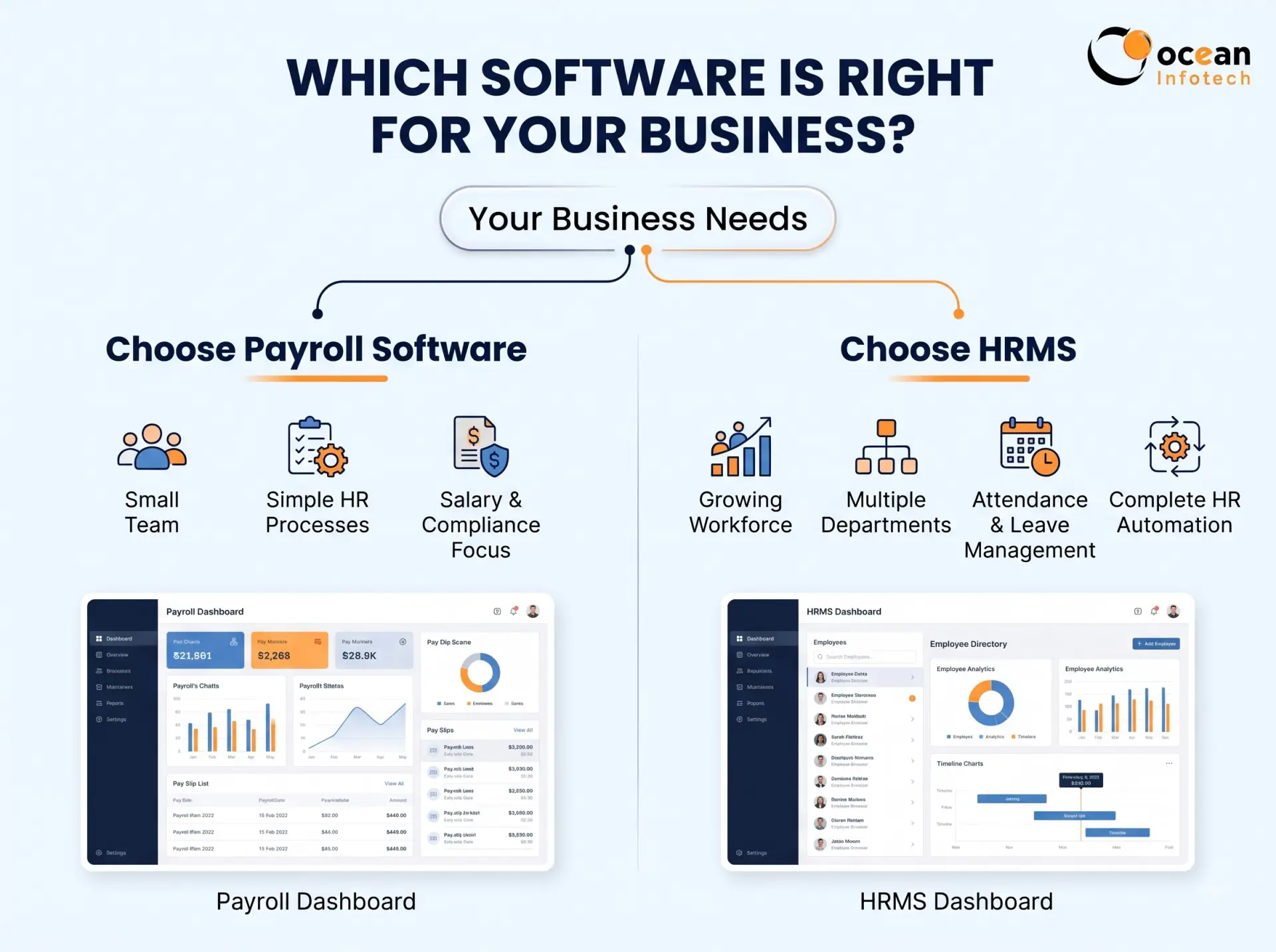
An HRMS is the better decision if:
- You have multiple departments, shifts or locations
- Attendance, leave and salary disputes are common
- You hire regularly and need structured onboarding
- You want performance reviews and appraisal cycles
- You expect to grow in the next two to three years
- Management wants real-time HR reports
- A practical rule of thumb
If HR tasks beyond salary consume more than a few hours every week, an HRMS will usually be more economical than separate tools.
Watch out for tool sprawl
Using different software for attendance, leave, payroll and performance creates data mismatches and extra manual work. A unified system avoids this.
Real-Life Scenario: Moving From Payroll-Only to HRMS
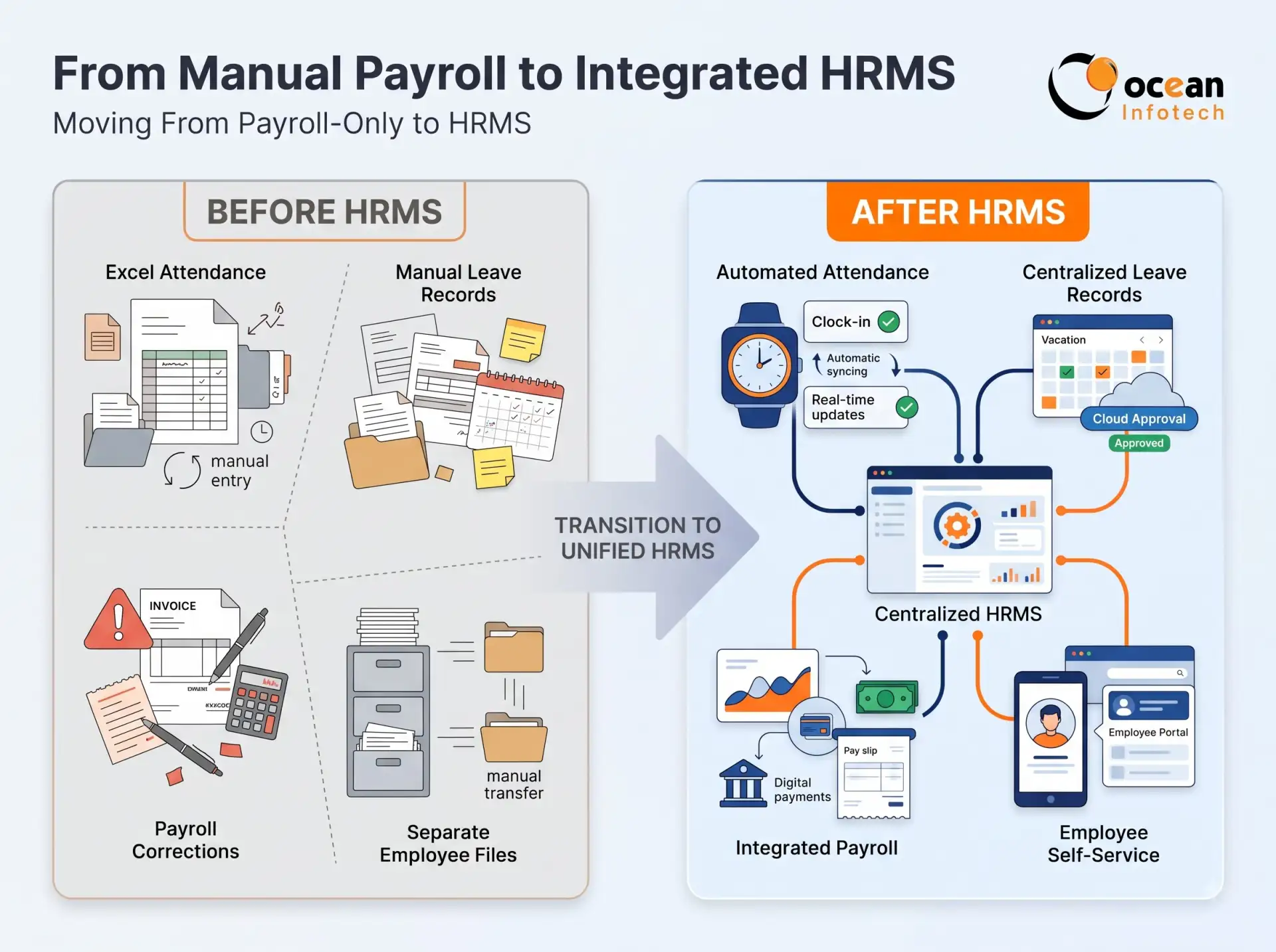
A trading company with 60 employees used payroll software for years. Every month, supervisors sent attendance in Excel, the accountant corrected mistakes and leave balances were maintained separately. Salary delays and disputes were frequent. After shifting to an HRMS, attendance and leave synced automatically, payroll became a one-click process and employees could view payslips without calling HR. The business did not just save time; it also gained clean data for decisions. For more examples of delivered work, see how we implemented HRMS projects for real businesses.
How to Decide: A Simple Checklist
Count how many HR processes are still manual today.
Estimate monthly hours spent on attendance, leave and salary work.
Check how many employees and locations you will have in two years.
Identify compliance risks you currently face.
- Ask vendors for a demo using your own salary structure.
- Compare total cost, including setup, support and upgrades.
Frequently Asked Questions (FAQs)
- . Is payroll software part of an HRMS?
Yes. Most HRMS platforms include a payroll module, along with attendance, leave, recruitment and performance tools.
- . Can I start with payroll software and move to HRMS later?
You can, but migration takes effort. If growth is likely, starting with an HRMS that offers modular plans is often easier.
- . Which is cheaper, HRMS or payroll software?
Payroll-only software generally costs less. But total cost can rise when you add separate tools for attendance and other HR needs.
- . Does payroll software handle attendance?
Some do in a basic form. Most rely on imported attendance data, which can create manual work and errors.
- . Which is better for a 100-employee company?
An HRMS is usually better at this size because of attendance complexity, leave policies and reporting requirements.
- . Do both support PF, ESI and TDS?
Good payroll software and good HRMS platforms both do. Always verify state-specific compliance during the demo.
- . Can an HRMS integrate with accounting software?
Many can export payroll journals or integrate directly with accounting tools, reducing duplicate entry for the finance team.
- . How do I know my current system is not enough?
Frequent salary disputes, delays, data scattered across files and repeated manual corrections are strong signs that you need an upgrade.
Conclusion
The HRMS vs payroll software decision depends on your size, complexity and growth plans. Payroll tools solve salary calculation well, while an HRMS manages the entire employee journey and gives leaders reliable data. If you want one connected system instead of several disconnected tools, an HRMS is the smarter long-term choice. To get expert advice and a live walkthrough, get in touch with Ocean Infotech today.
Ocean Infotech
Fillter
Latest News




Comments